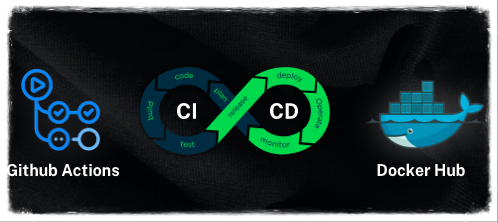
GitHub Actions + Docker — Tự động hóa từ code đến container
Khi bạn đã biết viết Dockerfile và dùng Docker Compose, bước tiếp theo là tự động hóa quá trình build và push Docker image mỗi khi code thay đổi. GitHub Actions là công cụ CI/CD miễn phí tích hợp sẵn trong GitHub, rất phù hợp để bắt đầu.
Trong bài viết này, mình sẽ hướng dẫn bạn từ cơ bản đến thực hành: tạo workflow build Docker image, push lên registry, và tối ưu với cache.
I. GitHub Actions là gì?
GitHub Actions là nền tảng CI/CD được tích hợp trực tiếp trong GitHub, cho phép bạn tự động hóa workflow phát triển phần mềm ngay trong repository.
1. Các khái niệm cơ bản
| Khái niệm | Giải thích |
|---|---|
| Workflow | File YAML định nghĩa pipeline, lưu trong .github/workflows/ |
| Event | Sự kiện kích hoạt workflow (push, pull_request, tag…) |
| Job | Một nhóm các bước (steps) chạy trên cùng một runner |
| Step | Một bước đơn lẻ trong job (chạy lệnh hoặc dùng action) |
| Action | Thành phần tái sử dụng, có thể do cộng đồng hoặc Docker cung cấp |
| Runner | Máy ảo thực thi workflow (GitHub cung cấp miễn phí Ubuntu, Windows, macOS) |
2. Cấu trúc thư mục
| |
II. Docker Official Actions
Docker cung cấp bộ Actions chính thức giúp bạn build và push image một cách chuẩn hóa:
| Action | Chức năng |
|---|---|
| docker/login-action | Đăng nhập vào Docker registry |
| docker/setup-buildx-action | Thiết lập Docker Buildx (hỗ trợ build nâng cao) |
| docker/build-push-action | Build và push Docker image |
| docker/metadata-action | Tự động tạo tags và labels từ Git metadata |
| docker/setup-qemu-action | Cài QEMU cho multi-platform build |
III. Workflow cơ bản — Build và Push lên Docker Hub
1. Chuẩn bị secrets
Trước khi tạo workflow, bạn cần thêm secrets trong repo GitHub:
- Vào Settings → Secrets and variables → Actions
- Thêm 2 secrets:
DOCKERHUB_USERNAME— Tên tài khoản Docker HubDOCKERHUB_TOKEN— Access token (tạo tại hub.docker.com/settings/security)
2. Tạo workflow file
| |
3. Giải thích từng phần
| Phần | Ý nghĩa |
|---|---|
on: push: branches: [main] | Chạy workflow khi push code lên branch main |
on: pull_request | Chạy khi tạo PR (chỉ build, không push) |
actions/checkout@v4 | Clone code từ repo về runner |
docker/login-action@v3 | Đăng nhập Docker Hub bằng secrets |
docker/setup-buildx-action@v3 | Cài Docker Buildx — hỗ trợ cache, multi-platform |
docker/build-push-action@v6 | Build image từ Dockerfile và push lên registry |
push: ${{ github.event_name != 'pull_request' }} | Chỉ push image khi không phải PR (tránh push image chưa review) |
IV. Push lên GitHub Container Registry (GHCR)
Ngoài Docker Hub, bạn có thể push image lên GHCR — registry miễn phí của GitHub, tiện lợi vì không cần tạo tài khoản bên ngoài.
| |
Điểm khác biệt so với Docker Hub
| Tiêu chí | Docker Hub | GHCR |
|---|---|---|
| Registry URL | docker.io (mặc định) | ghcr.io |
| Authentication | Username + Access Token | GITHUB_TOKEN (tự động) |
| Giá | Miễn phí (giới hạn pull) | Miễn phí (theo quota GitHub) |
| Tích hợp | Phổ biến nhất | Tích hợp sâu với GitHub |
V. Tự động tạo tags với Metadata Action
Thay vì đặt tag thủ công (latest, v1.0), bạn có thể dùng docker/metadata-action để tự động tạo tags dựa trên Git events:
| |
Kết quả tags theo từng event
| Git Event | Ví dụ | Docker Tag |
|---|---|---|
Push branch main | refs/heads/main | main |
Push branch dev | refs/heads/dev | dev |
| Pull Request #42 | refs/pull/42/merge | pr-42 |
Push tag v1.2.3 | refs/tags/v1.2.3 | 1.2.3, 1.2 |
| Commit SHA | abc1234 | sha-abc1234 |
VI. Tối ưu build với Cache
Mỗi lần workflow chạy, Docker phải build lại từ đầu. Để tăng tốc đáng kể, hãy sử dụng cache.
1. GitHub Actions Cache (Khuyến nghị)
| |
Ưu điểm: Đơn giản nhất, sử dụng GitHub Cache API, không cần cấu hình thêm.
2. Registry Cache
| |
Ưu điểm: Cache được lưu trên registry, có thể chia sẻ giữa nhiều CI runners.
So sánh các loại cache
| Loại cache | Ưu điểm | Nhược điểm |
|---|---|---|
| GitHub Actions (gha) | Đơn giản, không cần setup thêm | Giới hạn 10GB/repo |
| Registry | Chia sẻ được, persistent | Tốn bandwidth upload |
| Inline | Gắn liền với image | Chỉ hỗ trợ min mode |
VII. Ví dụ thực tế — Workflow hoàn chỉnh
Dưới đây là workflow hoàn chỉnh kết hợp tất cả best practices:
| |
Luồng hoạt động
| |
VIII. Troubleshooting phổ biến
1. Lỗi authentication
Lỗi:
| |
Nguyên nhân: Secrets chưa được cấu hình hoặc token hết hạn.
Giải pháp:
- Kiểm tra secrets trong Settings → Secrets and variables → Actions
- Với GHCR: đảm bảo có
permissions: packages: writetrong workflow - Với Docker Hub: tạo lại Access Token tại hub.docker.com
2. Build chậm
Nguyên nhân: Không sử dụng cache hoặc Dockerfile chưa tối ưu layer.
Giải pháp:
| |
Và đảm bảo Dockerfile tận dụng layer caching (copy package.json trước, COPY . . sau).
3. Lỗi permission khi push lên GHCR
Lỗi:
| |
Giải pháp: Thêm permissions vào workflow:
| |
Ghi chú triển khai
- Khi áp dụng vào dự án của bạn, hãy lưu ý các điểm quan trọng:
- Luôn dùng secrets cho credentials, không bao giờ hardcode token trong workflow
- Sử dụng
push: ${{ github.event_name != 'pull_request' }}để tránh push image từ PR chưa review - Pin version cho actions (dùng
@v3,@v6thay vì@main)
- Best practices:
- Sử dụng
docker/metadata-actionđể quản lý tags tự động - Bật cache (
type=gha) để tăng tốc build - Tách workflow cho
build + testvàdeployriêng biệt
- Sử dụng
- Troubleshooting:
- Xem logs chi tiết trong tab Actions của repo GitHub
- Dùng
docker compose configđể validate cấu hình trước khi push - Kiểm tra quota cache GitHub tại Settings → Actions → Cache
🎯 Lời kết
GitHub Actions + Docker là combo mạnh mẽ để tự động hóa pipeline từ code đến container image. Với các workflow trong bài viết này, bạn có thể:
- ✅ Tự động build Docker image mỗi khi push code
- ✅ Push image lên Docker Hub hoặc GHCR
- ✅ Tự động tạo tags theo Git metadata (branch, tag, SHA)
- ✅ Tối ưu tốc độ build với cache
Nếu bạn thấy bài viết này hữu ích, hãy nhớ ⭐ star repo hoặc 📱 chia sẻ với bạn bè nhé! 😊
Tài liệu tham khảo
- GitHub Actions Documentation — Tài liệu chính thức GitHub Actions
- Docker Build GitHub Actions — Hướng dẫn chính thức Docker cho GitHub Actions
- Docker/build-push-action — Repository chính thức của Build and Push Action
- Cache management with GitHub Actions — Hướng dẫn cache cho Docker build trên GitHub Actions