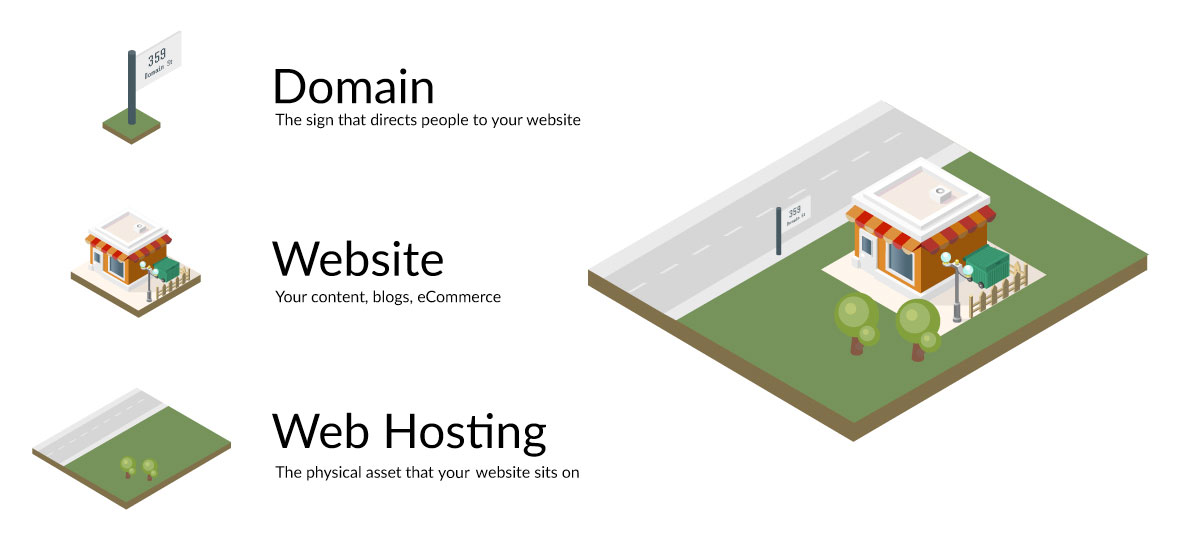
🌐 Why point a domain to hosting?
Domain and hosting are the two essentials that keep a website online.
- Domain is the website address.
- Hosting stores the website data.
Why you need to point a domain
- Connect the domain to hosting so the site appears on the internet.
- Let people access the site using a memorable address.
How it works 🔧
- Get nameserver or IP information from your hosting provider.
- Configure it in your domain management dashboard.
Three simplest ways to point a domain to hosting 🚀
Point using nameservers
Steps:
- Log in to your domain management panel.
- Select the domain you want to point.
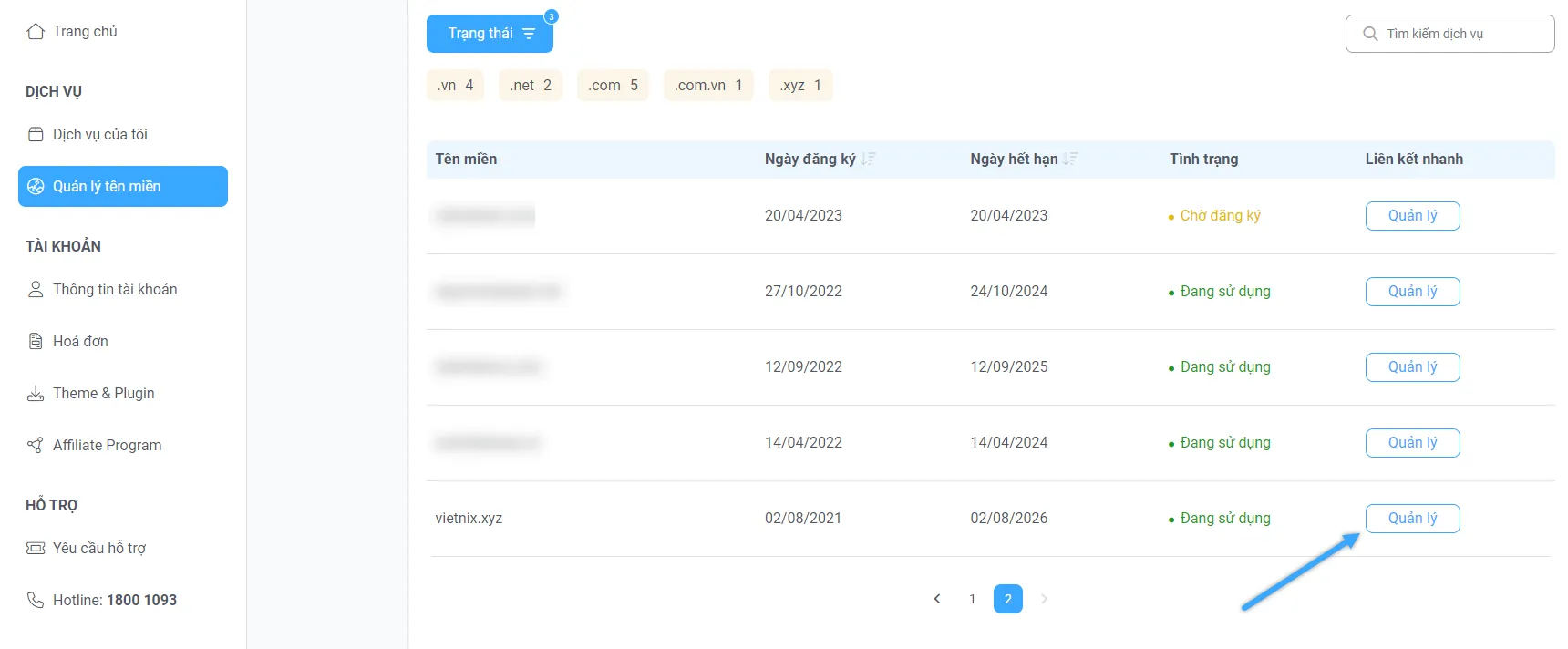
Select the domain to point to hosting
- Replace the default nameservers with the hosting provider’s nameservers (found in the hosting welcome email).
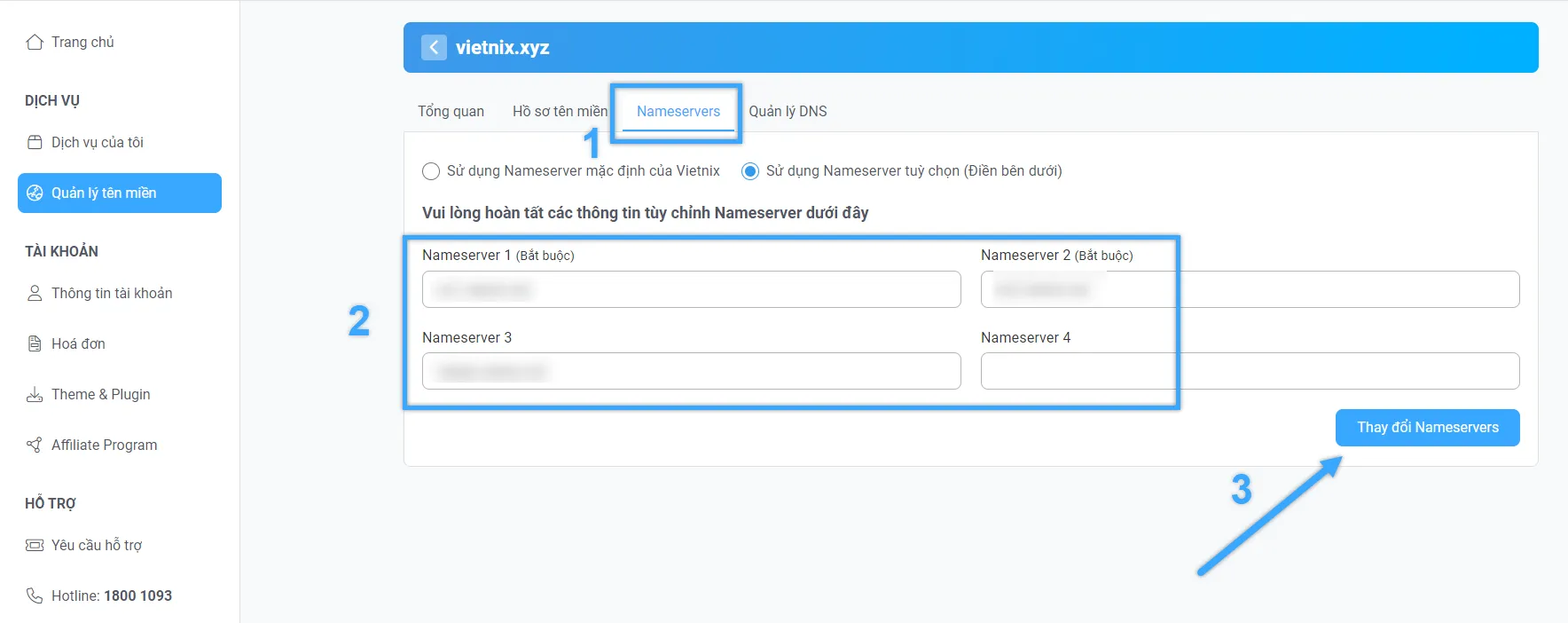
Replace default nameservers with your hosting nameservers
- Wait for DNS propagation (minutes to hours, up to 24h).
- Verify by visiting the domain.
Point using IP (A record)
Steps:
- Log in to your domain management panel.
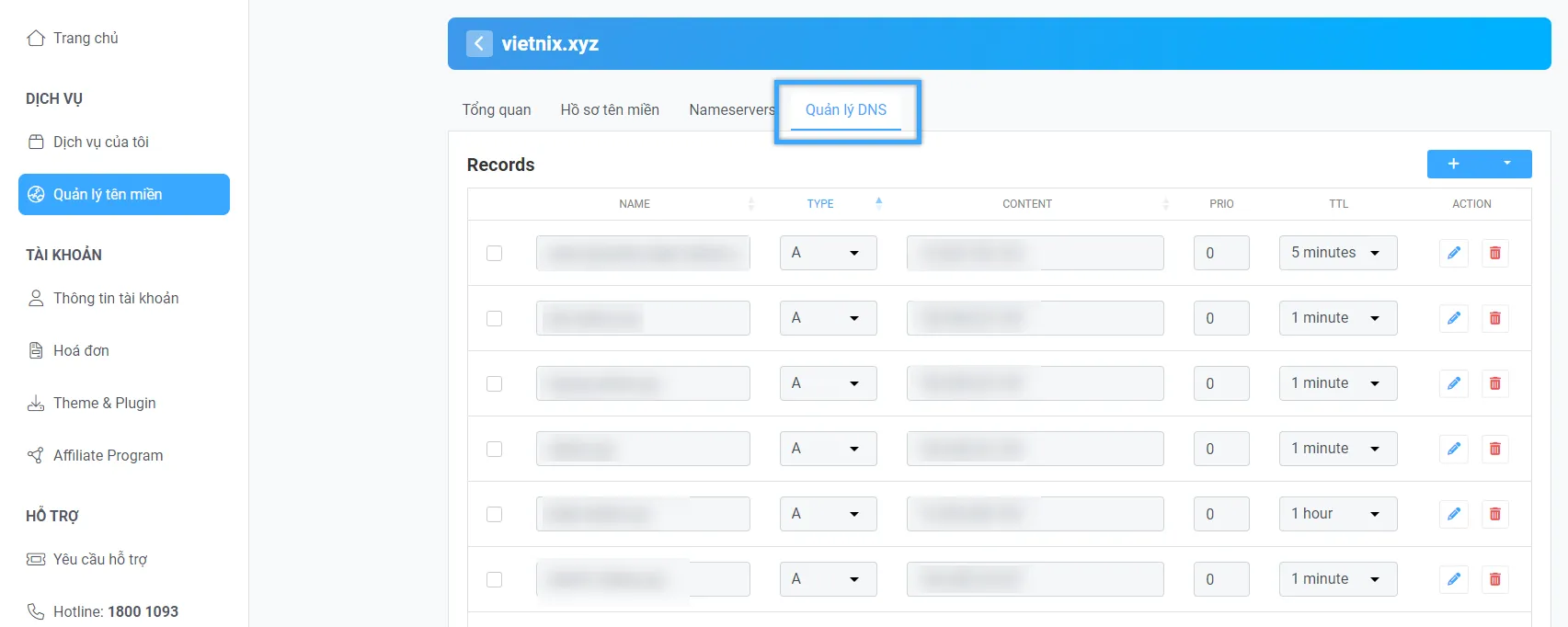
Select the domain and open DNS settings
- Open the DNS settings.
- Add two A records:
@→ Hosting IP (from the provider email).www→ Hosting IP.
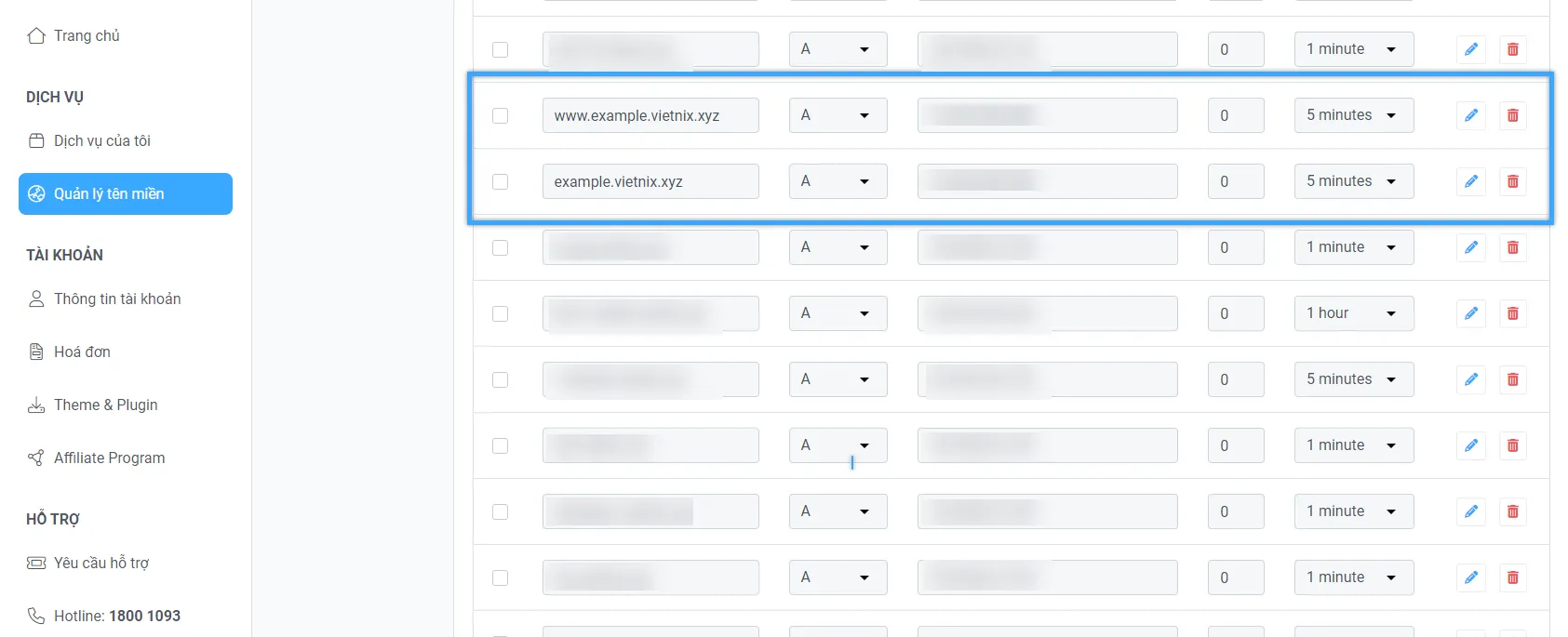
Add two A records
- Save changes and wait for DNS propagation (minutes to hours).
Point using an intermediate nameserver
To point a domain via an intermediate nameserver such as Cloudflare, Namecheap FreeDNS, or Incapsula, follow these steps:
Steps:
- Create an account with the intermediate nameserver and confirm required DNS records.
- In your domain registrar, change the nameservers to the intermediate provider.
- Wait for propagation.
Common issues when pointing a domain to hosting ⚠️
You may run into issues that prevent your site from working correctly. Understanding these will help you troubleshoot faster.
🚫 Wrong hosting domain
When registering hosting, the provider asks for your domain. If it is incorrect or mismatched, the website may not work.
🚫 Using both methods at once
If you already pointed a domain via nameservers, do not switch to IP (A record) at the same time. It can cause DNS conflicts.
🚫 Incorrect DNS record type
Common DNS record types include:
- A record: Points the domain to the hosting IP.
- CNAME: Points one domain to another.
- MX record: Configures email.
Entering the wrong record type can break connectivity.
🚫 Wrong hosting IP
Hosting IPs are long and easy to mistype. Copy directly from the provider email to avoid confusion with a personal IP.
If errors occur, double-check your settings and wait for DNS updates to finish.
Video guide 🎥
For a visual walkthrough, watch the video below. It covers steps from getting nameserver details to updating settings in your domain manager.
― Source, F8 Official ✔️
Conclusion 🌟
Pointing a domain to hosting is essential for your website to work online. Whether you use nameservers, A records, or an intermediate nameserver, double-check your settings and allow time for DNS propagation. If you encounter issues, review the configuration and try again 🔄. Good luck, and feel free to leave a comment if you need help! 💬😊