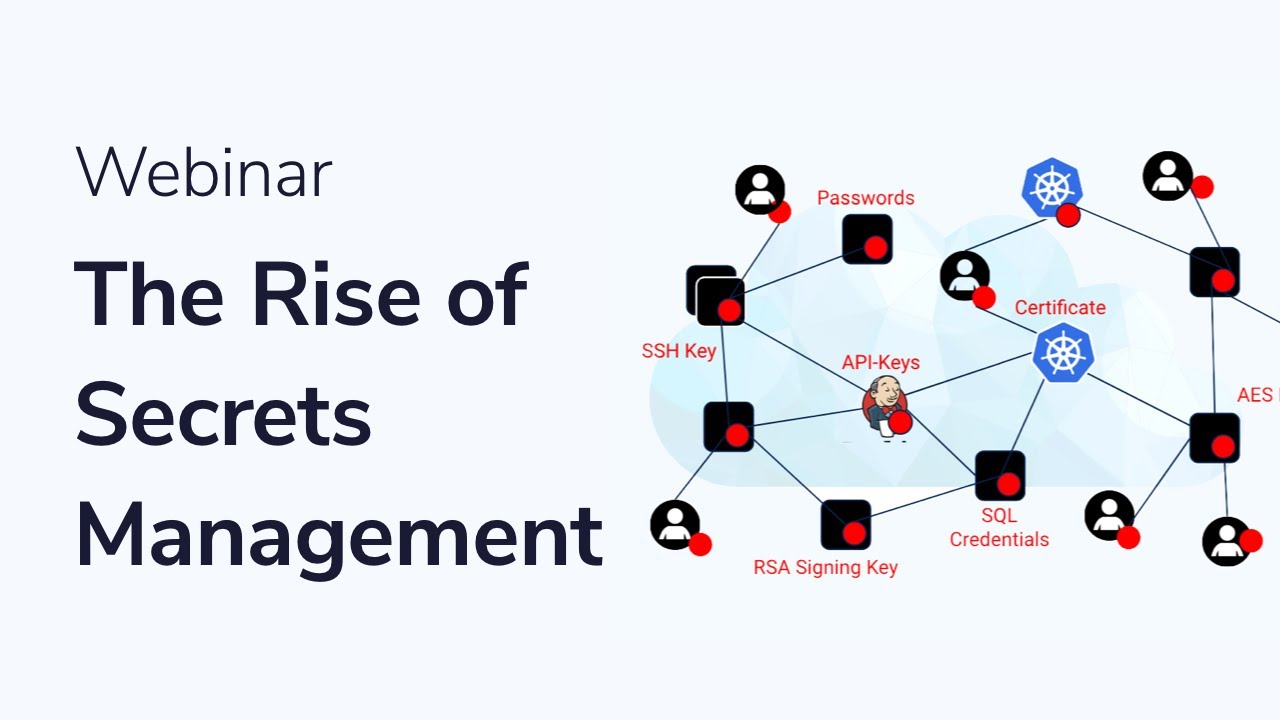
🔍 What is Secret Management?
Secret Management is the process of protecting, storing, and securely distributing sensitive information such as passwords, API keys, and certificates in an organization’s information technology system. It helps prevent unauthorized access while ensuring authorized systems and users can use the information when needed.
Secret Management typically includes features:
- Data encryption during storage and transmission.
- Access control, only allowing authorized people or systems to access.
- Key rotation mechanism to change passwords periodically.
- Integration with DevOps systems to automate security processes.
🔗 Additional References:
- 📄 How to manage secrets in web applications
- 📄 Why DevSecOps needs secret management
- 🎥 DevOps tips for managing secrets in production environments
🏛️ HashiCorp Vault
HashiCorp Vault is a secret management tool that helps protect sensitive data such as passwords, API keys, and encryption keys.
🔑 Key Features:
- Centralized management helps easily control secrets.
- Supports multiple authentication methods such as LDAP, Kubernetes.
- Provides dynamic secrets helps create temporary secrets when needed.
- Strong data encryption during storage and transmission.
🔗 Examples:
Store and manage TLS certificates for a microservices architecture.
Integrate with Kubernetes to provide dynamic secrets for Pods each time they start.
Create temporary passwords for databases to reduce the risk of information leakage.
🛠 Practical Examples:
1️⃣ Provision dynamic passwords for PostgreSQL using Vault
Suppose you have a PostgreSQL database and want to provision a temporary account:
| |
This command will create a new account with limited lifetime.
2️⃣ Use Vault to manage API keys in Node.js applications
You can retrieve API keys from Vault in your source code:
| |
🔗 Useful Resources:
- 🌍 HashiCorp Vault Homepage
- 🛠️ HashiCorp Vault Source Code on GitHub
- 🎥 HashiCorp Vault Introduction in 180 seconds
- 🎥 HashiCorp Vault Tutorial for Beginners
☁️ Cloud Secret Management Tools
🔥 AWS Secrets Manager
Provides secure secret storage and management service on AWS with automatic password rotation capability and integration with other AWS services.
🌍 Google Cloud Secret Manager
Secret management solution on Google Cloud, allowing automatic password rotation and easy access control.
🔷 Azure Key Vault
Microsoft Azure service that helps securely store and manage keys, passwords, and digital certificates.
🔗 Examples:
AWS Secrets Manager: Store API keys of a web application, ensuring API keys are not exposed in source code.
HashiCorp Vault: Manage database access passwords for PostgreSQL.
Azure Key Vault: Store and secure application encryption keys.
🛠 Practical Examples:
1️⃣ Use AWS Secrets Manager to manage API keys
Suppose you have a web application that needs to access a third-party service through an API key. Instead of storing the API key in source code, you can store it in AWS Secrets Manager and call it when needed:
| |
2️⃣ Create dynamic secrets with HashiCorp Vault
HashiCorp Vault can create temporary passwords for databases to enhance security. For example, you can create a temporary account for PostgreSQL:
| |
🔗 Useful Resources:
- 📄 AWS Secrets Manager – AWS Secret Management Service
- 📄 Google Cloud Secret Manager – Google Cloud Secret Management Service
- 📄 Azure Key Vault – Azure Key and Secret Management Service
- 🎥 AWS Secrets Manager Demo – AWS Secrets Manager Tutorial
- 🎥 Google Cloud Secret Manager – Google Cloud Secret Manager Introduction
- 🎥 Azure Key Vault and How to Use – Azure Key Vault Tutorial
🔐 Sealed Secrets
Sealed Secrets is a tool for Kubernetes that helps encrypt sensitive data into SealedSecrets, which can be safely stored even in public environments like GitHub.
🛠️ How it works:
- Encryption: User creates a SealedSecret from a Kubernetes Secret.
- Storage: SealedSecret can be committed to Git.
- Decryption: Only the Kubernetes Controller in the cluster can decrypt and restore it to a regular Kubernetes Secret.
💡 Highlights:
- Uses asymmetric encryption ensuring only the controller can decrypt data.
- Supports GitOps helps manage secrets safely in Git repository.
- Easy integration with Kubernetes to protect sensitive data.
🔗 Useful Resources:
🔄 Integrating Secret Management into CI/CD
CI/CD tools like Azure DevOps, Travis CI, and AWS CodePipeline support secret management by integrating with Secret Management systems to protect sensitive information during deployment.
🏗️ Azure DevOps
Azure DevOps provides Azure Key Vault to securely store and manage secrets. Pipelines in Azure DevOps can retrieve secrets from Key Vault for use during deployment.
🚀 Travis CI
Travis CI supports environment variable encryption, helping protect API keys and sensitive information during builds.
🌩️ AWS CodePipeline
AWS CodePipeline can integrate with AWS Secrets Manager to retrieve secrets during application deployment.
🎯 Conclusion
Secret management plays an important role in modern system security. Using tools such as HashiCorp Vault, AWS Secrets Manager, Google Cloud Secret Manager, Azure Key Vault, Sealed Secrets, Azure DevOps, Travis CI, and AWS CodePipeline helps ensure the safety of sensitive information, supports secure DevOps deployment, and complies with security standards.
👉 Next step: Monitor infrastructure Infrastructure Monitoring - the process of tracking and analyzing the performance, availability, and status of information technology infrastructure components such as servers, networks, storage, databases, and cloud computing services, helping to detect incidents early, optimize resources, and ensure stable system operation. 🚀